Independence Day photo editing prompt: 6 viral ideas
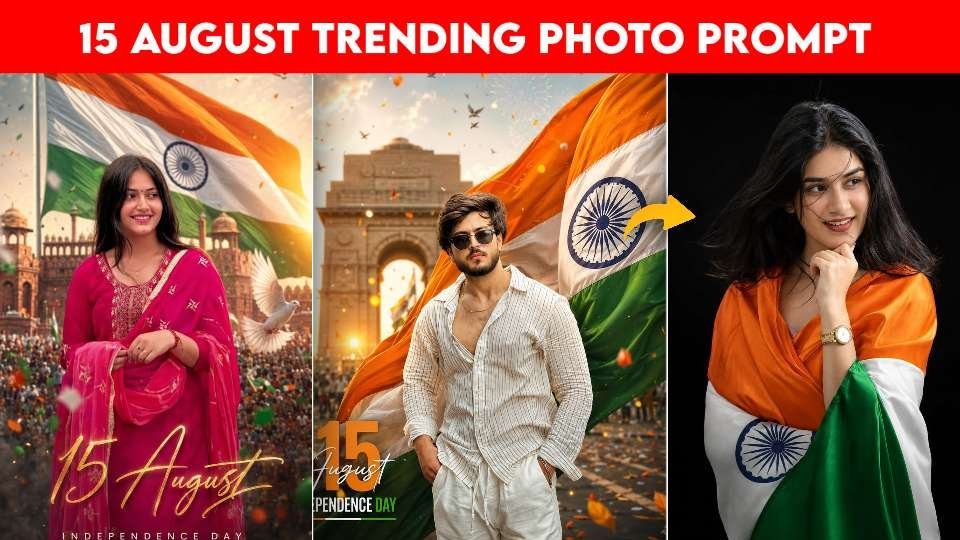
The independence day photo editing prompt trend has become one of the most popular ways to turn a normal portrait into a powerful patriotic image. If you want a stylish social media post for 15 August, these AI editing ideas can help you create cinematic, realistic, and eye-catching results with the Indian tricolour.
What makes this trend so effective is its mix of emotion, national pride, and modern portrait styling. You can use a simple selfie, a front-facing portrait, or a professional photo and transform it into a celebration-ready image for Instagram, Facebook, or WhatsApp.
In this guide, you will find six creative prompt ideas, practical editing tips, and useful guidance on how to get the best results from your chosen AI tool. Each section is written to help you understand the style, mood, and use case before you apply the prompt block.
Why the Independence Day photo editing prompt is trending
The independence day photo editing prompt trend works because it blends a festive theme with a strong visual identity. The Indian flag, dramatic lighting, and cinematic backgrounds immediately make the portrait feel more emotional and polished.
Read Also: VN Code for Viral Reels: Easy Editing Guide | VN QR Code Reel Editing Guide for Viral Instagram Reels
It also fits a wide audience. Students, creators, professionals, and families all use this style to make a memorable 15 August post without needing a full photo shoot.
Another reason it is so popular is that AI tools can now preserve facial identity better than before. When you use a clear portrait and describe the pose, outfit, lighting, and background properly, the final image looks more natural and less artificial.
| Best for | Visual style | Suggested mood |
|---|---|---|
| Social media posts | Cinematic tricolour portrait | Bold and festive |
| Profile pictures | Clean studio patriotic edit | Simple and premium |
| Story or reel covers | Monument background with flag | Celebratory and dramatic |
How to get better results with an Independence Day photo editing prompt
A strong independence day photo editing prompt usually includes five things: face preservation, outfit details, background style, lighting, and composition. If you leave these out, the edit may still look good, but it may not feel personal or realistic.
Start with a high-quality image that faces the camera. Then ask for natural skin texture, realistic shadows, and a patriotic environment with the tricolour as the main visual element.
It also helps to keep the image clean. Too many effects can make the portrait look busy, so choose one focal idea at a time, such as a waving flag, a soft bokeh background, or a monument-inspired scene.
- Use a clear portrait with good lighting
- Ask for identity preservation and natural skin texture
- Choose one main patriotic theme per image
- Keep the background detailed but not overcrowded
- Add text only if it improves the final design
Independence Day photo editing prompt for a cinematic flag portrait
This style is ideal if you want a dramatic patriotic image with a strong tricolour focus. The flag becomes the hero element, while the face remains expressive and realistic.
It works especially well for a confident pose, soft sunlight, and a background that feels grand without distracting from the subject.
Flag-first patriotic portrait
Use this section when you want the Indian flag to dominate the composition while keeping the subject natural and recognizable. The result feels bold, emotional, and perfect for a 15 August post.
Try it with a plain shirt, a traditional outfit, or a modern portrait for different moods. The key is to balance the flag with realistic facial detail.
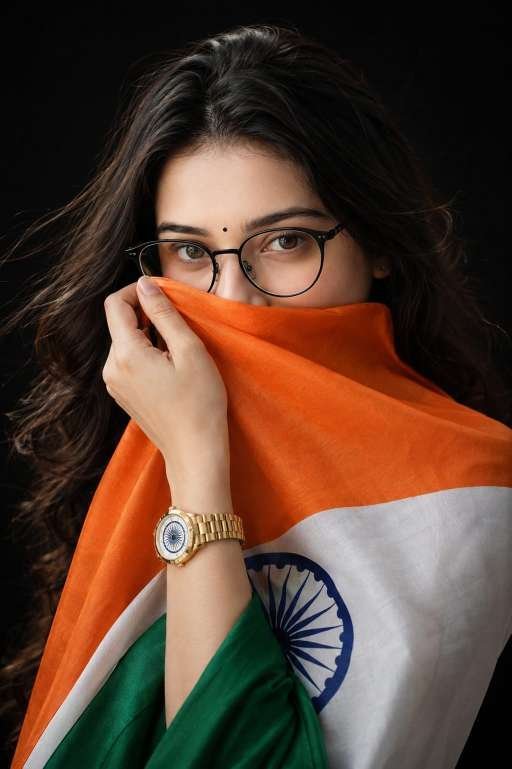
For the best output, upload a face-forward photo and keep the expression calm or confident. This helps the AI preserve identity while building the patriotic scene around it.
Independence Day photo editing prompt for a respectful flag-kiss scene
This version has a more emotional tone and is great for users who want a tribute-style image. The focus is on devotion, respect, and subtle drama rather than a loud celebration.
Because the pose is intimate, it usually looks best with dark backgrounds, soft highlights, and gentle tricolour accents.
Emotional tribute portrait
This style is useful for people who want a meaningful Independence Day edit rather than a flashy one. It captures pride in a quiet, respectful way.
Use it when you want your photo to feel sincere and memorable. A soft shadow and strong face detail can make the portrait feel even more powerful.
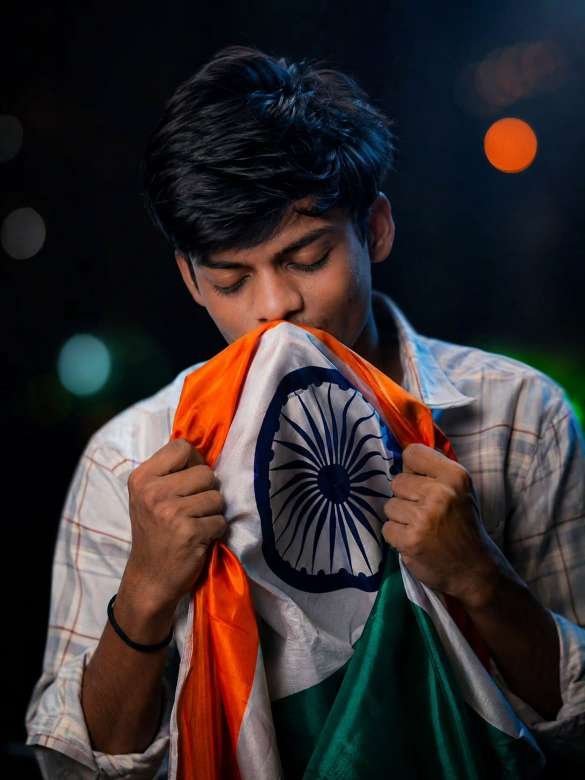
If your tool supports face reference or identity locking, turn it on. That will help keep the expression and features closer to the original photo.
Hero poster composition
Use this if you want a complete 15 August visual with a strong foreground subject and an uplifting background. It is especially good for social media covers and story banners.
Keep the text minimal so the portrait remains the main attraction. A small title near the bottom is usually enough.
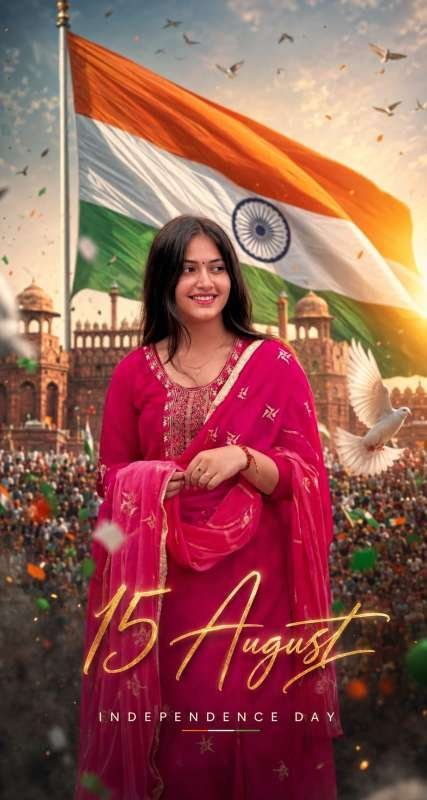
This layout works best in a vertical frame. That gives enough room for the flag, the background, and the typography without crowding the subject.
Independence Day photo editing prompt for a monument background portrait
Many creators love this style because it connects the subject with Indian heritage. A historic monument in the background adds depth, cultural meaning, and a strong sense of place.
When paired with a waving tricolour and warm sunrise lighting, the portrait feels both modern and timeless.
Historic celebration look
This design is a smart choice if you want a more scenic and atmospheric image. It feels like a real Independence Day celebration captured in a premium photoshoot.
Make sure the monument stays softly blurred so it supports the subject instead of overpowering it.
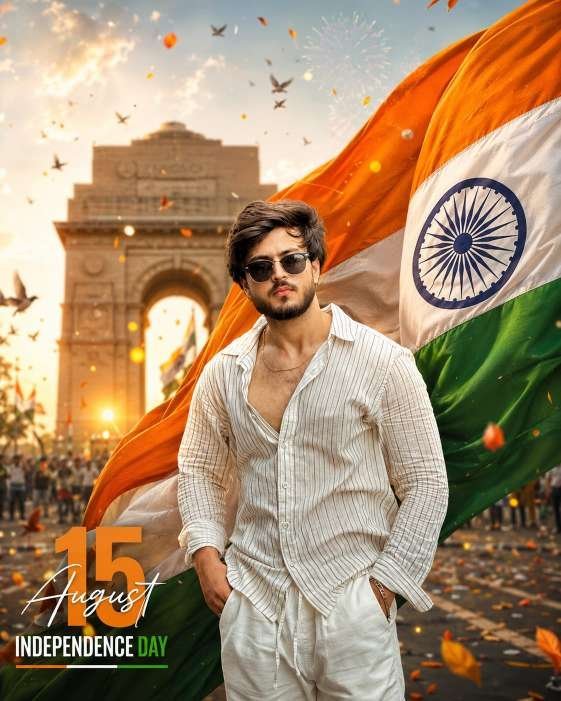
You can also ask for birds, distant crowd silhouettes, or floating tricolour particles if your editor handles environmental details well. Just avoid adding too many competing elements.
Independence Day photo editing prompt for a clean studio portrait
If you prefer a minimalist result, this independence day photo editing prompt style is the best option. It uses a dark or plain backdrop, focused lighting, and a neat patriotic drape to create a premium profile-picture feel.
This format is especially useful for people who want a polished image for professional pages, profile photos, or elegant Instagram posts.
Minimal premium portrait
The clean studio look lets the subject stay front and center. Because there are fewer background distractions, face quality, skin texture, and clothing details become more noticeable.
This makes the final image look sophisticated rather than busy, which is ideal for a modern digital celebration post.
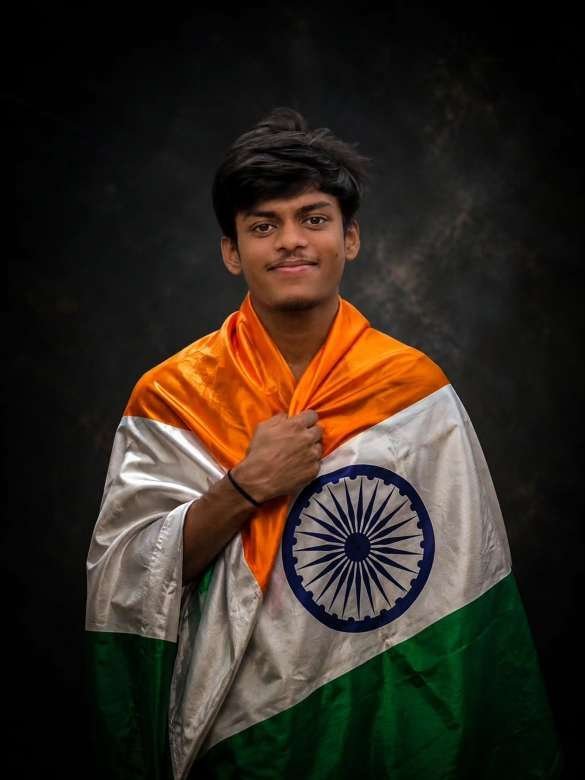
Use soft key light and subtle rim light to keep the edges clean. That small detail can dramatically improve the final visual quality.
Independence Day photo editing prompt for a balanced patriotic portrait
This final section is for users who want something versatile: not too dramatic, not too plain, but still clearly festive. It balances the tricolour, facial detail, and cinematic atmosphere in one clean composition.
It is a great all-round prompt style for people who want a safe, reliable edit that works across different social platforms.
All-purpose 15 August portrait
Choose this style if you want flexibility. It can work for both male and female portraits, traditional outfits, or modern clothing, depending on the reference photo you upload.
It is also a good fallback option when you are not sure whether to go for a poster, studio, or scenic look.
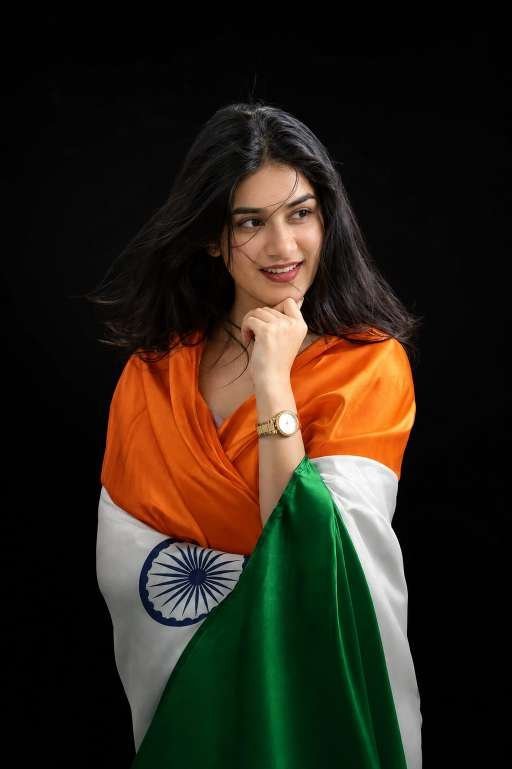
If you are editing for Instagram, keep the frame vertical and leave some space around the subject. That makes the portrait easier to crop for stories, posts, and profile use.
Tips to refine your Independence Day photo editing prompt results
After the first render, do a few small adjustments. Increase contrast gently, sharpen facial details if needed, and keep the skin tones natural.
If the background looks too crowded, simplify it. If the flag looks too flat, ask for more realistic folds, better light, and stronger color separation between saffron, white, and green.
For the best patriotic image, think like a designer. The subject, lighting, and composition should all work together to tell one clear story.
- Use natural face references
- Keep tricolour colors vivid but balanced
- Prefer soft blur in the background
- Avoid heavy text unless it adds value
- Export in a vertical format for social media
FAQ about Independence Day photo editing prompt
What is an Independence Day photo editing prompt?
An Independence Day photo editing prompt is a text instruction used in AI image tools to create patriotic portraits themed around 15 August. It usually includes the Indian flag, festive lighting, and a realistic portrait style.
The goal is to turn a normal photo into a celebration-ready image. The better the prompt, the more natural and cinematic the result will look.
Which photo works best for an Independence Day photo editing prompt?
A front-facing portrait with good lighting works best because it gives the AI more detail to preserve. Neutral expressions, sharp focus, and clear face visibility also improve results.
If possible, use a high-resolution image without heavy filters. That gives you a stronger base for a patriotic transformation.
Can I use an Independence Day photo editing prompt for Instagram?
Yes, this style is excellent for Instagram posts, stories, and profile pictures. Vertical framing, premium lighting, and a clear tricolour theme make the image highly shareable.
You can also add simple text like “15 August” or “Happy Independence Day” if it fits the design. Just keep it readable and minimal.
Final thoughts on the Independence Day photo editing prompt
The independence day photo editing prompt trend is a creative way to celebrate India with style, pride, and visual impact. Whether you like a cinematic poster, a clean studio portrait, or a powerful flag-based edit, the right prompt can turn a simple photo into something memorable.
Try the six styles above, pick the one that fits your personality, and experiment with your own portrait until it feels right. With a little editing care, you can create a standout 15 August image that is ready to share everywhere.
independence day photo editing prompt ideas are easy to use, fun to personalize, and perfect for patriotic storytelling. Create your favorite version today and share your celebration with confidence.
Leave a Reply