VN QR Code Reel Editing Guide for Viral Instagram Reels
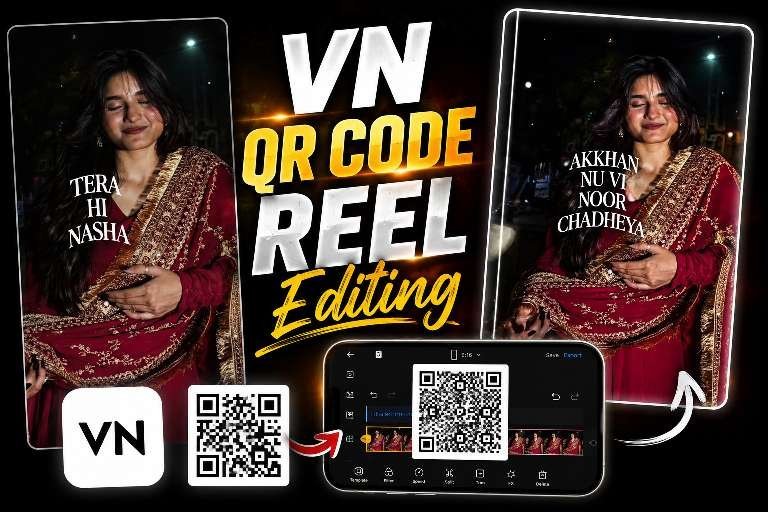
VN QR code reel editing is one of the easiest ways to make Instagram reels look polished without spending hours on manual editing. With a simple QR scan inside VN Video Editor, you can import a complete template, swap in your clips, and publish a stylish reel in minutes.
This method has become popular because it lowers the learning curve for beginners while still giving creators a professional result. If you want faster workflow, better-looking transitions, and trendy reel styles, VN QR code reel editing is worth learning.
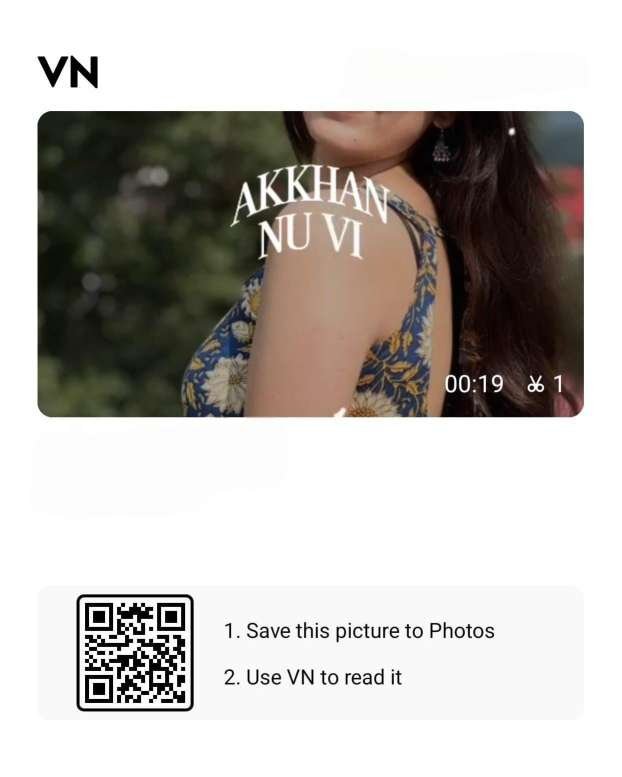
What Makes VN QR Code Reel Editing So Popular?
VN QR code reel editing works because it combines convenience with creative control. Instead of building every effect from scratch, creators can use a shared template that already includes transitions, text animations, color grading, and timed cuts. That means less technical work and more focus on storytelling.
Read Also: Viral Song VN Code Reel Editing: Easy Copy-Paste Guide | Mk Edit Aesthetic Dark Photo Prompt Guide
For Instagram creators, speed matters. Reels that look clean and move with the beat often perform better because they feel engaging from the first second. A ready-made template helps you create that polished look even if you have never used advanced editing tools before.
VN QR code reel editing saves time
The biggest benefit is speed. You can open a template, replace the placeholder footage with your own clips, and export the final video without building the edit piece by piece. This is especially useful when you need to post regularly and keep your content consistent.
It also helps reduce decision fatigue. Instead of choosing every transition, filter, and animation manually, you start with a structure that already works visually. As a result, the creative process feels much easier.
VN QR code reel editing looks professional
Many templates are designed with cinematic pacing, soft zooms, smooth motion blur, and beat-synced cuts. These details create a premium feel that is difficult to achieve quickly without a template-based workflow. Even simple footage can look impressive when the edit is timed well.
Creators often use this approach for romantic reels, aesthetic montages, travel edits, and trending audio clips. The format is flexible enough for many styles, which is another reason it keeps spreading across Instagram.
How to Use a VN QR Code Template
Getting started with a VN QR code template is straightforward. First, install the VN Video Editor app on your phone if you do not already have it. Then open the app and look for the QR code scan option inside the project or template area.
Once you scan the code, the edit opens automatically with its preset layers and effects. From there, you only need to replace the sample media with your own photos or videos, fine-tune the text if needed, and export the reel in high quality.
VN QR code reel editing step by step
- Open VN Video Editor on your phone.
- Scan the QR code linked to the template.
- Import the full preset edit into your project.
- Replace sample clips with your own footage.
- Adjust music, captions, filters, and timing.
- Export the final reel in a format suitable for Instagram.
The process is simple, but the quality of your source clips still matters. Better footage gives the template more room to shine, especially when the edit uses slow motion or smooth transitions.
Tip: if the template relies on beat sync, keep your replacement clips close to the original clip lengths so the timing stays natural.
VN QR Code Reel Editing Tips for Better Results
If you want your edits to stand out, do not rely on the template alone. The best reels usually combine a strong template with good footage, clean pacing, and a clear visual theme. In other words, the template gives you structure, but your content gives the reel personality.
Also, remember that Instagram rewards content that keeps viewers watching. Short, sharp edits with a strong opening frame usually perform better than long, slow videos with no clear hook. That is why template choice matters so much.
Use high-quality clips and stable shots
Good lighting makes a huge difference. Record in natural light whenever possible, and avoid shaky footage unless the template is specifically built for a handheld style. Stable clips make transitions feel smoother and more intentional.
If you are using photos instead of videos, choose images with similar tones and composition. That helps the reel feel cohesive from start to finish. A consistent look is often more appealing than a mix of unrelated visuals.
Match the template with trending audio
Audio plays a major role in reel performance. Pick music that fits the mood of the edit, whether it is romantic, energetic, or cinematic. When the beat matches the cuts, the result feels more satisfying to watch.
You can also check Instagram trending sounds and use audio that already has momentum. This does not guarantee reach, but it can help your content blend better with current platform trends.
VN QR Code Reel Editing vs Manual Editing
Both methods have their place, but they serve different needs. Manual editing gives you full control over every detail, while QR template editing gives you speed and convenience. If your goal is to publish faster, the template method is usually the smarter choice.
Here is a simple comparison to help you decide.
| Feature | VN QR Code Template | Manual Editing |
|---|---|---|
| Speed | Very fast | Slower |
| Skill needed | Beginner-friendly | Intermediate to advanced |
| Customization | Good | Excellent |
| Consistency | Easy to repeat | Depends on the editor |
| Best for | Quick viral reels | Unique custom projects |
For many creators, the smart approach is to use both. Start with a VN QR template for speed, then customize it enough to make the reel feel original. That balance can help your content stand out without taking too much time.
Why VN Video Editor Works Well for Reel Creators
VN Video Editor has become popular because it offers powerful features without making the workflow complicated. You can work with keyframes, speed changes, filters, transitions, and color tools in a simple mobile layout. That makes it practical for creators who edit directly on their phones.
Another reason people like it is that the QR template system makes sharing edits easy. One creator can build a style, export the QR code, and another creator can recreate that setup almost instantly. This sharing model is a big part of what keeps VN QR code reel editing circulating online.
For more background on the app’s category, you can also explore video editing software and how mobile editors have changed short-form content creation.
Best Practices for Viral Instagram Reel Editing
If your goal is reach, do not focus only on effects. A viral reel usually combines strong visuals, quick pacing, and a clear idea. Template-based editing helps, but the story still needs to feel easy to understand in a few seconds.
Use these practical habits to improve your results:
- Keep the reel short and focused on one idea.
- Use a strong opening frame in the first second.
- Choose clips with similar colors or mood.
- Export in high resolution for cleaner playback.
- Write a caption that supports the video theme.
- Add hashtags that match your niche and content style.
Consistency also matters. Posting regularly helps you learn what kind of edits your audience prefers. Over time, you can refine your template choices and improve the performance of your reels.
How to Make VN QR Code Reel Editing Feel Unique
Many people use the same template, so your job is to make the final reel feel personal. Small changes can make a big difference. You can swap the music, choose different clips, change the text, or adjust the filter strength to create a version that reflects your style.
Think of the QR template as a starting point rather than a finished product. When you customize it thoughtfully, the reel becomes more memorable and less generic. That is especially important if you want people to recognize your content over time.
Simple ways to customize your reel
- Replace all sample media with your own visuals.
- Adjust the color tone to match your brand or mood.
- Change text to a short caption or on-screen hook.
- Trim clips so the beat hits feel natural.
- Try a different song if the original audio does not fit.
These small edits may seem minor, but they help your content feel authentic. In a crowded feed, that extra layer of personality can be the difference between being skipped and being watched.
The VN QR code reel editing workflow is especially useful for creators who want to post more often without sacrificing style. It gives you speed, structure, and a polished result all at once.
VN QR Code Reel Editing FAQs
How do I scan a VN QR code for reel editing?
Open VN Video Editor, go to the QR code scan option, and point your camera at the template code. Once the scan is complete, the preset edit will load into your project. After that, you can replace the sample clips with your own media.
Is VN QR code reel editing good for beginners?
Yes, it is one of the most beginner-friendly editing methods available on mobile. You do not need advanced skills to start, because the template already contains the main effects and timing. Beginners can focus on content selection and simple customization.
Can I change music in a VN QR code template?
In most cases, yes. You can replace the audio with another track if you want the reel to match a different mood or trend. Just make sure the new music still fits the transitions and pacing of the template.
Why do creators use VN QR code reel editing?
Creators use it because it saves time, looks professional, and makes trendy edits easy to recreate. It is also helpful for people who want to post more often without learning a complex desktop workflow. The result is faster content production with a polished finish.
Final Thoughts on VN QR Code Reel Editing
VN QR code reel editing is a practical way to create stylish Instagram reels quickly, especially if you want clean transitions and a polished look without starting from zero. It works well for beginners and experienced creators alike, as long as you pair the template with strong footage and smart customization.
If you want faster editing, better reel aesthetics, and a simpler workflow, this trend is a great one to try. Start with one template, test a few variations, and keep refining your style so your next reel stands out even more.
To explore more about mobile editing possibilities, visit the official VN Video Editor app page and see how the tools fit your workflow. Then try VN QR code reel editing for your next Instagram post and create something worth sharing.
Leave a Reply