AI Girl Video Editing: Easy Instagram Reel Guide 2026
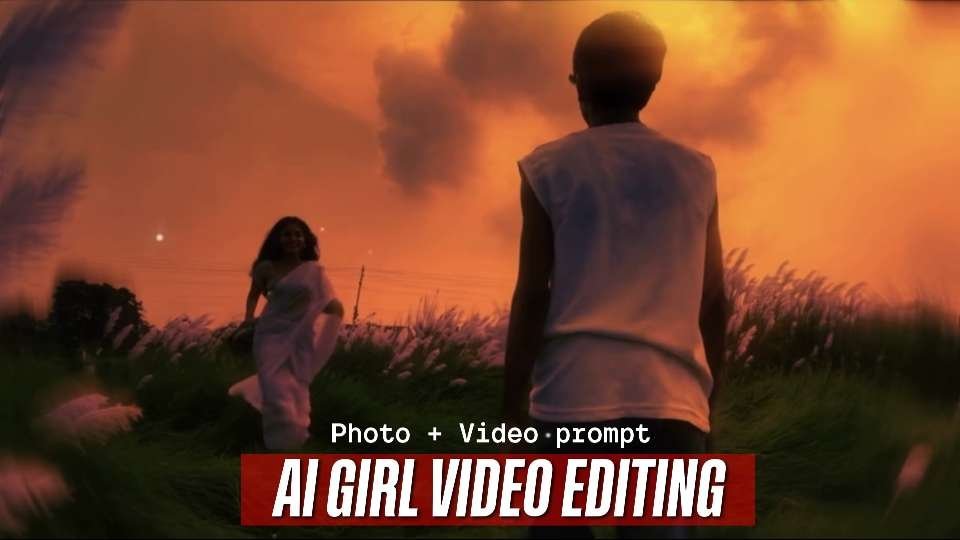
AI girl video editing is a creative way to turn a still portrait or full-body photograph into a short cinematic scene for Instagram Reels and YouTube Shorts. Instead of relying on complicated 3D software, creators can combine an image reference, a carefully written instruction, and an image-to-video tool to produce natural movement, atmospheric lighting, and a film-inspired finish.
The strongest results usually come from a simple visual story: a person moving through an open countryside setting while another figure approaches through warm evening light. Wind-blown fabric, swaying grass, soft camera motion, and restrained slow motion can make a brief clip feel like a scene from a larger story. This guide explains how to build that effect without overcomplicating the workflow.
Why AI Girl Video Editing Works So Well for Reels
AI girl video editing performs well because it combines a recognizable human subject with visual details that hold attention. A viewer can understand the scene immediately, while motion in the background gives the clip enough energy to encourage replays. Warm skies, green fields, gentle movement, and a steady camera also create a mood that feels emotional without requiring dialogue.
Read Also: Cinematic Black Portrait Prompt: Easy AI Photo Guide
Short-form platforms reward videos that communicate quickly. A carefully planned clip can establish its setting in the opening second, introduce movement soon afterward, and finish before the viewer loses interest. For this reason, a ten-to-twenty-second edit is often easier to watch than a long sequence filled with unnecessary effects.
The effect is especially useful for beginners because the source image provides a visual anchor. The generator does not need to invent every detail from nothing; it can focus on animating a defined environment and maintaining the appearance of the subjects. However, the quality of the first image still has a major influence on the final result.
How to Create an AI Girl Video Editing Reel
Begin with a clear image that has enough space around the subject. A full-body or three-quarter composition generally gives the animation model more room to create believable steps and body movement. Avoid photographs with heavy filters, blocked faces, extreme shadows, or several people competing for attention.
Next, decide what must remain unchanged. Write down the clothing, camera angle, background objects, direction of travel, and approximate distance between the characters. These details act as continuity rules and can reduce unwanted changes between frames.
- Choose a clean reference: Use a sharp, well-lit image with a stable perspective.
- Define the action: Describe who moves, where they move, and how quickly.
- Protect identity: Request consistent facial features, clothing, body shape, and hairstyle.
- Describe the camera: Specify a stable frame or a very gentle tracking movement.
- Set the mood: Mention sunset warmth, natural shadows, soft contrast, and a restrained film look.
Keep the action realistic rather than asking for several dramatic events at once. One person approaching, another person walking away, and a small amount of environmental motion are enough to create a compelling sequence. Too many simultaneous instructions can cause distorted hands, shifting clothing, floating feet, or sudden background changes.
Cinematic Countryside Photo Composition
Use this first prompt section to prepare the still image that anchors the entire sequence. It is designed for a believable outdoor composition where the added adult subject fits the original setting, perspective, lighting, and scale.
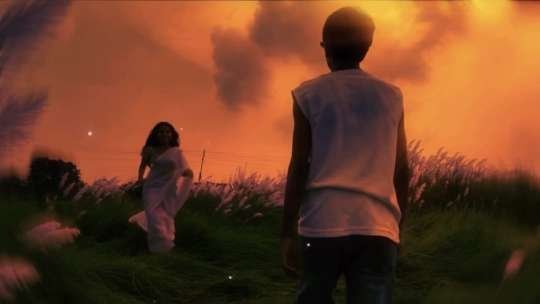
Review the generated image before animating it. Check the face, hands, feet, fabric edges, ground contact, and shadows at full size, because small visual errors often become more noticeable once motion is added.
Natural Slow-Motion Countryside Movement
Use this second prompt section after the still image looks consistent. It focuses on smooth movement, stable framing, realistic cloth behavior, and continuity between the people and the rural environment.
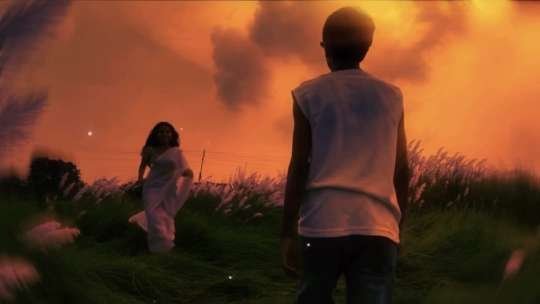
Generate a few short versions rather than stretching one imperfect clip. Select the take with the most stable faces and limbs, then trim the opening and ending so the action begins quickly and finishes cleanly.
Improve AI Girl Video Editing Realism
Realism depends more on restraint than on the number of effects. Motion should follow the physical setting: grass can move gently in the breeze, clothing can respond to a character’s steps, and hair should react subtly rather than whipping in an exaggerated direction. Small, coordinated changes make the scene feel more authentic.
Lighting consistency is equally important. If the source image has cloudy or late-day light, keep that same atmosphere throughout the animation. Sudden changes from orange sunlight to cool blue shadows can make the clip look generated, even when the characters remain stable.
Camera movement should support the action instead of distracting from it. A mostly locked frame with a slight forward track often works better than a fast zoom, rotation, or sweeping camera move. When the camera moves too much, the background may warp and the viewer may notice the artificial construction of the scene.
For stronger results, use this quality checklist before exporting:
- Faces remain recognizable from the first frame to the last.
- Feet appear connected to the ground during every step.
- Clothing follows the body and does not melt into the background.
- Objects in the distance stay in the same location.
- The movement starts gradually and does not jump between positions.
- The final frame does not contain an obvious frozen pose or visual glitch.
AI Video Editing Settings for Instagram Reels
Set the project to a vertical 9:16 canvas before exporting. A resolution of 1080 by 1920 pixels is a practical choice for most social platforms, while a higher-resolution master can be retained for later cropping. Export with a common format such as MP4 and use a frame rate that preserves smooth movement without creating unnecessarily large files.
| Element | Recommended approach | Why it helps |
|---|---|---|
| Length | About 10 to 20 seconds | Keeps the story focused and encourages completion. |
| Aspect ratio | Vertical 9:16 | Uses the full phone screen on short-form platforms. |
| Opening | Show the setting and first movement quickly | Gives viewers an immediate reason to continue watching. |
| Sound | Use suitable music at a balanced volume | Adds emotion without covering the visual story. |
| Transitions | Prefer clean cuts or subtle fades | Maintains a cinematic rather than overly edited appearance. |
Music can make a quiet visual sequence feel more complete, but choose audio that matches the pace of the movement. A gentle instrumental track may suit a reflective scene better than an aggressive beat. Before publishing, check the current audio and usage options inside Instagram and follow the platform’s rules for music and disclosure.
A thumbnail should show the central visual idea instantly. Use a bright frame with visible subjects, clear separation from the background, and enough contrast for a small screen. If text is added, keep it short and place it away from faces, hands, and important movement.
AI Girl Video Editing Workflow Compared With Traditional Editing
Traditional editing gives precise control over every frame, but it also requires more time and technical skill. An AI-assisted workflow is faster for concept testing and atmospheric scenes, although it may need several generations and careful review to correct inconsistencies.
| Workflow | Main strength | Common limitation |
|---|---|---|
| AI image-to-video | Quickly creates movement from one reference image | Faces, hands, and backgrounds may change unexpectedly |
| Traditional compositing | Offers detailed control over layers and timing | Requires more editing experience and preparation |
| Hybrid workflow | Combines fast generation with manual polishing | Takes extra time but often gives the best finish |
A hybrid approach is often the most practical. Generate the core movement with an AI tool, then use a mobile or desktop editor to trim frames, balance color, add sound, and remove visible artifacts. For broader editing guidance, the official Adobe Premiere Pro product page is a useful reference for manual finishing tools.
AI Girl Video Editing FAQs
What is AI girl video editing used for?
AI girl video editing is used to animate a still image into a short visual story with realistic movement, lighting, and camera behavior. Creators commonly use it for Reels, Shorts, concept videos, cinematic introductions, and experimental social content.
What image works best for an AI girl video prompt?
A well-lit portrait or full-body image with a simple background usually works best. The subject should be visible without heavy obstruction, and the camera angle should leave enough room for the intended movement. Avoid crowded scenes until you are comfortable correcting generation errors.
Can I post an AI girl video on Instagram?
You can generally share AI-assisted creative work, but you should follow the platform’s current policies and use images only when you have the necessary rights or permission. Avoid presenting a real person as participating in an event they never attended, and consider labeling synthetic or substantially altered content when that context matters.
AI Girl Video Editing: Final Tips for Better Reach
The most effective AI girl video editing projects begin with a clear story, a consistent reference image, and a modest amount of movement. Build the still composition first, check every important detail, and only then create the animation. This order saves time because it prevents a weak image from becoming a longer, more complicated video.
Keep the final Reel vertical, concise, and easy to understand without sound. Combine a strong first frame with suitable music, accurate captions when needed, and relevant hashtags rather than filling the description with unrelated terms. Most importantly, review the entire clip before publishing so that a small visual error does not undermine an otherwise polished result.
Now that you have a practical workflow for AI girl video editing, choose a reference image and create your first cinematic test. Experiment carefully, compare different takes, and share the version that feels most natural.
Leave a Reply