Cinematic Instagram Reel Editing: Easy Viral Style Guide
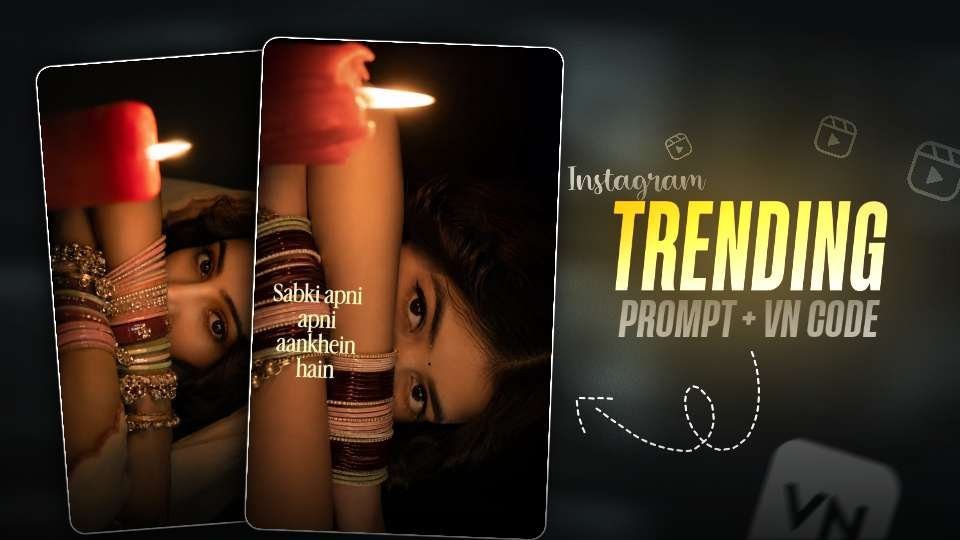
Cinematic Instagram reel editing can transform an ordinary portrait into a short visual story with mood, movement, and personality. This popular creative approach combines dramatic light, traditional details, close-up framing, carefully timed music, and gentle transitions to produce a polished result without requiring expensive equipment.
The appeal is easy to understand. A single photograph can feel more expressive when it slowly moves across the screen, reveals meaningful details, and matches the emotional tone of a song. With a thoughtful plan, your next Reel can look refined while still feeling personal and authentic.
Cinematic Instagram Reel Editing and the Viral Visual Formula
The strongest edits in this style usually begin with a simple portrait rather than a complicated scene. The subject may wear traditional clothing or accessories, while the background stays dark and uncluttered. This contrast gives the face, eyes, hands, and jewelry more visual importance.
Read Also: Ganpati Bappa VN Code: Easy Instagram Reel Guide | 1980s Vintage Photo Prompt: Create Retro AI Images
Warm amber, red, and golden tones create an intimate atmosphere. Deep shadows add mystery, while a small highlight on the face or an accessory helps guide the viewer’s attention. This lighting approach is related to chiaroscuro photography, where strong differences between light and shadow create depth.
Close framing also makes the content more engaging. Instead of displaying the entire outfit at once, show one detail at a time: an eye, a hand, a row of bangles, or a carefully styled fabric texture. These small reveals encourage viewers to watch until the final frame.
How to Plan a Cinematic Instagram Reel Editing Project
Good editing starts before you open a mobile video editor. Decide what feeling the Reel should create, then collect images and music that support that feeling. Romance, reflection, confidence, celebration, and quiet drama can all work well with this visual treatment.
- Choose a clear mood: Pick one emotional direction instead of mixing bright comedy with serious drama.
- Prepare several related images: Use portraits with matching lighting, clothing, and color balance.
- Select a short music section: Find a part of the track with a strong beat, vocal pause, or emotional rise.
- Plan the reveal: Decide which detail appears first and which image deserves the final position.
- Keep the frame vertical: A 9:16 composition fills the mobile screen and gives the subject more impact.
Consistency matters more than the number of effects. If every image uses a different color treatment or background style, the Reel can feel disconnected. A limited palette and repeated visual patterns will make the final sequence look intentional.
Building an Aesthetic Portrait Reel With Light and Color
Lighting is the foundation of an aesthetic portrait reel. You can use a practical lamp, a candle-style light, or a warm LED placed slightly to one side of the subject. Keep the light source controlled so that the face has shape without losing every detail in the shadows.
Red and orange accents work especially well with maroon, cream, green, and gold accessories. However, avoid pushing saturation too far. Skin should remain natural, and bright areas should retain texture instead of turning into flat blocks of color.
| Visual element | Recommended approach | Common mistake |
|---|---|---|
| Background | Use a simple, darker setting that separates the subject. | Adding busy objects that compete with the face. |
| Light | Place one warm source at an angle for dimensional shadows. | Using several unrelated light colors. |
| Accessories | Capture close details such as bangles, rings, or fabric. | Showing details too briefly for viewers to notice. |
| Color grade | Repeat warm highlights and controlled deep tones. | Overusing filters that hide natural skin texture. |
For a more film-like result, lower excessive clarity, add a small amount of grain, and preserve gentle contrast. These adjustments should support the photograph rather than make it look artificial.
Cinematic Instagram Reel Editing Prompt for a Dramatic Portrait
This single prompt section is designed for creators who want to develop a dark, close-up portrait with warm highlights and traditional accessories. Use it as a starting point, then review the generated image carefully for facial accuracy, natural hands, and believable jewelry.
Warm Candlelight Close-Up Portrait
The concept focuses on intimacy, controlled shadows, and a direct gaze. It works best when the reference photo has a clear face and the accessories can be seen without blocking the main features.
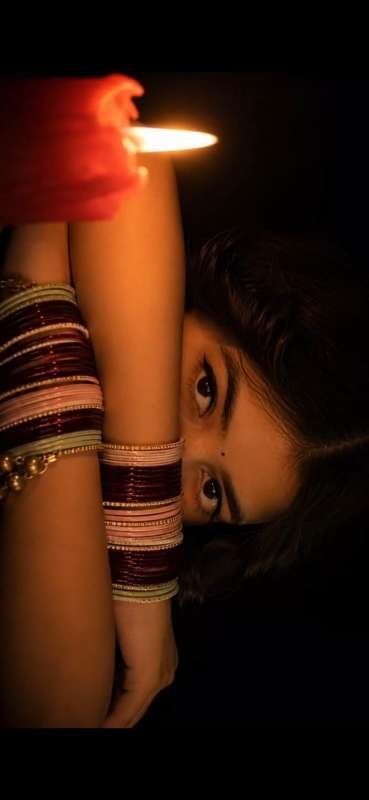
After generating the image, check the eyes, fingers, bangles, and candle shape before using it in a Reel. If the result looks too dark, request a slightly brighter face while keeping the background subdued.
Turning Still Images Into a Smooth Instagram Reel
Once your photos are ready, import them into a mobile editor and place them in a deliberate order. Begin with a wider or less revealing frame, move toward the strongest close-up, and finish with an image that leaves a clear emotional impression.
Slow zooming is one of the most useful tools for still-image video editing. A gentle movement toward the eyes can create tension, while a slow pullback can reveal clothing or accessories. Keep the motion subtle; fast movement may reduce the elegant mood.
- Set the project to a vertical 9:16 canvas.
- Trim each image to match a musical phrase or beat.
- Apply a small zoom or pan to prevent static frames.
- Use simple fades, dissolves, or motion transitions between related images.
- Add text only when it strengthens the story.
- Preview the full sequence several times before exporting.
For creators searching for a practical VN reel editing tutorial, the most important lesson is restraint. A clean timeline with a few well-timed movements often looks more professional than a project filled with spins, flashes, and random overlays.
Text, Music, and Transitions for Viral Instagram Reel Editing
Text can give the viewer a reason to pause, but it should not cover the face or overwhelm the composition. Use one short line, place it in a quiet area of the frame, and choose a font that matches the mood. Thin serif fonts can feel romantic, while clean sans-serif lettering usually feels modern.
Music should shape the edit rather than act as background noise. Match a visual change to a beat, lyric, or instrumental rise. If the song has a quiet opening, begin with a slow reveal; when the rhythm develops, introduce the most detailed image.
Transitions should connect images naturally. Crossfades, short dissolves, and carefully timed cuts are usually enough. A transition can be visually attractive and still distract from the subject, so remove any effect that becomes more noticeable than the portrait itself.
Instagram’s own guidance on how ranking works highlights the importance of viewer interactions and watch behavior. That means a strong opening frame, readable text, and a satisfying ending are more valuable than simply adding more effects.
Common Mistakes in Cinematic Instagram Reel Editing
Many creators achieve the right concept but lose quality during the final edit. The following problems are easy to prevent:
- Too much darkness: Shadows should create atmosphere, not erase the eyes, hands, or clothing.
- Inconsistent crops: Keep the subject’s position reasonably stable so each transition feels smooth.
- Overloaded typography: Avoid multiple fonts, long paragraphs, and text that appears for only a fraction of a second.
- Unmatched colors: Correct white balance and exposure before applying a creative filter.
- Excessive motion: Use slow movement for drama and reserve faster cuts for musical moments.
- Weak export settings: Review resolution, frame rate, and compression so details remain sharp after uploading.
Another frequent issue is relying too heavily on a generated image without checking it. Inspect facial structure, hands, jewelry, and shadows at full size. Small corrections can make the finished video feel much more trustworthy.
Cinematic Instagram Reel Editing Questions Creators Ask
What is cinematic Instagram reel editing?
Cinematic Instagram reel editing is the process of combining dramatic portrait imagery, controlled color, slow motion, music, and smooth transitions into a short vertical video. The goal is to create an emotional visual sequence rather than a basic slideshow.
Which music works best for a cinematic portrait Reel?
Choose a song with a clear emotional build, soft vocals, or a memorable instrumental section. Slow romantic tracks and reflective music often pair well with warm portrait edits, but the best choice depends on the story you want to tell.
Can I create a cinematic Reel on a phone?
Yes. A phone, a mobile editing application, and well-prepared images are enough for this style. Focus on composition, consistent color, controlled movement, and clean timing rather than expensive equipment.
Final Tips for Cinematic Instagram Reel Editing
Cinematic Instagram reel editing works because it turns a familiar portrait into a compact story. The combination of warm light, traditional fashion, meaningful details, subtle movement, and carefully chosen sound gives viewers several reasons to keep watching.
Start with one strong concept, refine the image before adding effects, and test the sequence on a real phone screen. Keep the edit personal by changing the outfit, caption, music, and color mood instead of copying another creator’s exact presentation. Create your next Reel with this approach and share a visual story that feels entirely your own.
Leave a Reply