1980s Vintage Photo Prompt: Create Retro AI Images
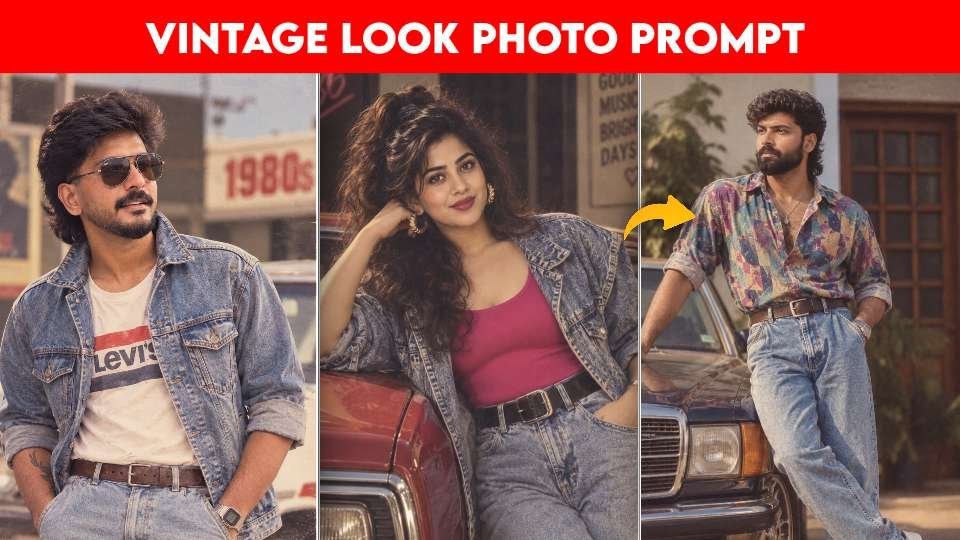
The 1980s vintage photo prompt trend turns an ordinary selfie into a convincing throwback portrait. Instead of simply adding a filter, an AI editor can rebuild the mood around your original identity with period clothing, analog texture, warm sunlight, and a setting inspired by late-1980s India.
This style works especially well for Instagram posts, profile pictures, couple portraits, family recreations, and nostalgic storytelling. The strongest results do not look like random costumes; they feel like genuine photographs captured with an older camera and developed on slightly faded film.
Why the 1980s Vintage Photo Prompt Looks Authentic
Retro editing succeeds when several visual details work together. Clothing alone cannot create a believable period image. The hairstyle, lighting, background, color treatment, pose, and photographic texture must support the same decade.
Read Also: Lyrics CapCut Template: Easy Instagram Reel Guide 2026 | Fog Lights Photo Editing Prompt: Easy AI Portrait Guide
A useful 1980s vintage photo prompt also tells the image tool what must remain unchanged. Clear instructions about facial identity, skin tone, expression, and body proportions help prevent the edited subject from becoming an unrelated person.
- Color: warm highlights, gentle fading, and slightly muted reds or yellows.
- Texture: subtle film grain, soft focus, natural skin detail, and mild analog imperfections.
- Fashion: denim jackets, printed shirts, high-waisted trousers, classic earrings, and era-appropriate accessories.
- Lighting: golden daylight, soft shadows, or practical indoor light rather than a modern studio flash.
- Environment: old streets, tiled homes, college spaces, markets, cinema surroundings, or leafy village roads.
These elements create an analog film effect that feels intentional rather than artificial. For background on the photographic character of older image-making, the Wikipedia overview of analog photography offers helpful context.
How to Prepare a Photo for an AI Retro Edit
Begin with a sharp image where the face is visible and evenly lit. A front-facing portrait is easiest, but a three-quarter pose can also work when the eyes, nose, and jawline are clear.
- Choose a high-resolution original without heavy filters or beauty effects.
- Make sure hair and facial contours are not hidden by extreme shadows.
- Decide whether the result should be a solo portrait, couple image, or full-body scene.
- Choose a setting that supports the story, such as a home, bus stand, market, cinema, or monsoon street.
- Specify a vertical frame when the image is intended for Stories, Reels covers, or mobile profile use.
Do not overload the request with unrelated visual ideas. A focused brief gives the editor enough direction while leaving room for natural composition. If the face changes too much, repeat the identity instructions and reduce the number of competing style details.
1980s Vintage Photo Prompt for a Classic Film Portrait
This first concept is suited to a single-person portrait with a broad retro mood. It focuses on preserving the subject while adding the visual language of an old camera, including soft highlights, warm tones, and restrained grain.
Classic Warm Analog Portrait
Use this section when you want a flexible all-purpose transformation that can work with different outfits and locations. It is a strong starting point for a profile image or a simple nostalgic post.
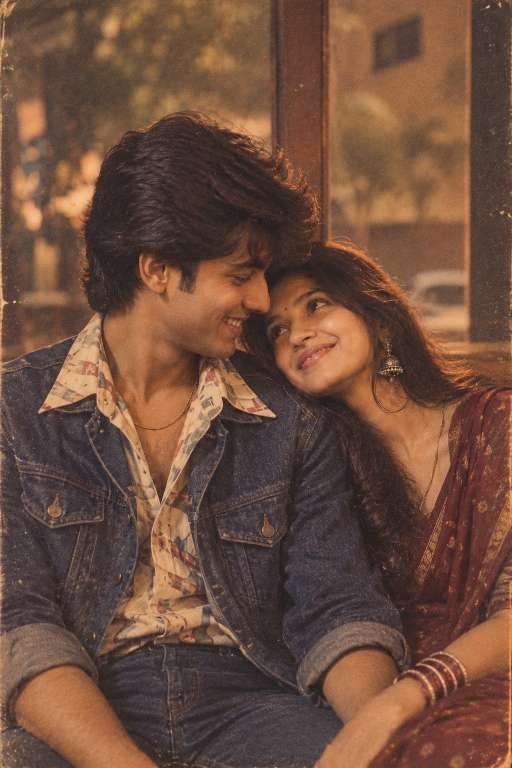
For a more natural result, use a source photo with relaxed facial expression and balanced lighting. Keep the grain subtle; excessive texture can hide the eyes and make the image appear computer-generated.
Late-1980s Indian Street and College Look
This variation is ideal for people who want a casual fashion portrait with an everyday setting. It can suit a solo subject while still leaving room for a convincing background narrative.
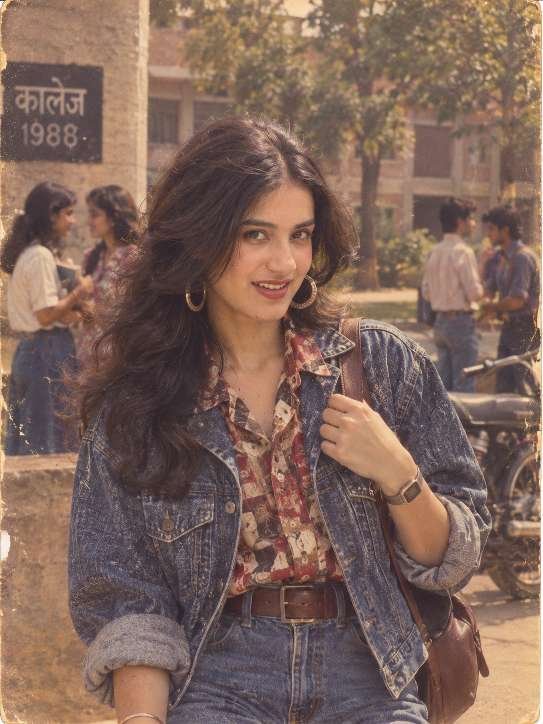
Ask for realistic background depth so the environment supports the subject without competing with the face. A slightly faded palette and a modest amount of film grain usually look more credible than a heavy sepia overlay.
Kerala Retro Portrait Prompt With Period Detail
Regional atmosphere adds depth to a vintage AI photo trend. A Kerala-inspired scene may include a tiled-roof home, green roadside, market, cinema, bus stand, backwater area, or rain-darkened street, depending on the story you want to create.
Authentic Kerala Cinema-Era Portrait
Choose this direction when location matters as much as clothing. It is particularly effective for a cinematic portrait with local architecture, lush surroundings, and a stronger sense of place.
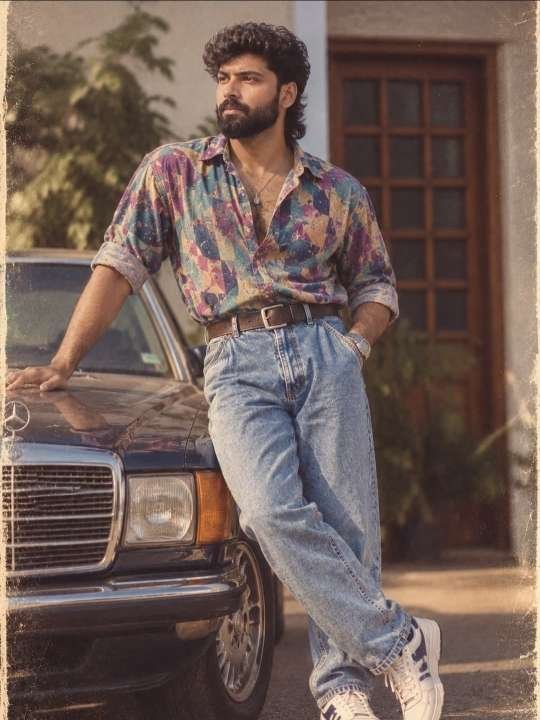
Natural skin texture is important in a regional retro portrait because it keeps the image grounded. Avoid adding modern signage, bright LED lighting, contemporary hairstyles, or other details that break the time period.
Couple and Group 1980s Photo Prompt Ideas
Editing more than one person requires careful identity control. Each face should remain recognizable, while the clothing and poses can be coordinated without making everyone look identical.
Coordinated Couple or Family Memory
This option works for a couple, siblings, friends, or a small family group. Give each person a distinct hairstyle, outfit, and posture while keeping the overall color palette and photographic mood consistent.
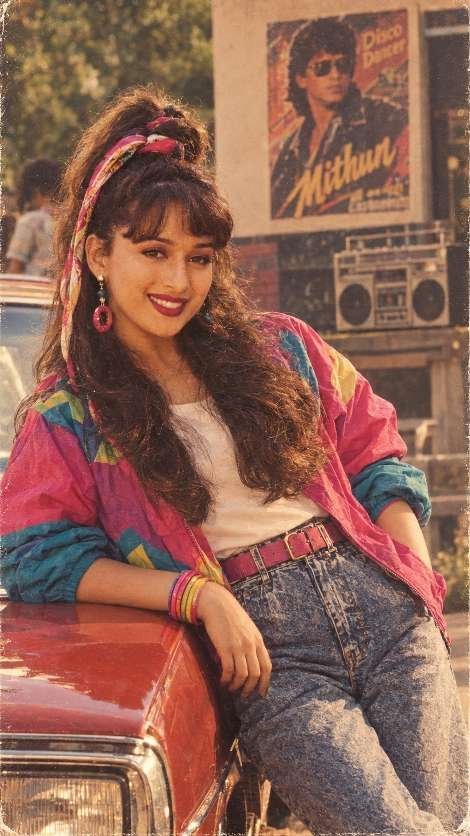
Use a source image where faces do not overlap heavily. If one person is partly hidden, the editor may invent facial details or merge features, so a clearer group photograph generally produces a safer result.
Reference-Based 1980s Vintage Photo Prompt Editing
A reference image can guide composition, wardrobe, lighting, and background while your uploaded photo supplies the identity. This is useful when you have a specific pose or cinematic arrangement in mind.
Reference Composition With Personal Identity
Use this approach when recreating the atmosphere of a favorite period photograph without copying another person’s face. The reference should guide visual structure only, while the original subject remains the identity source.
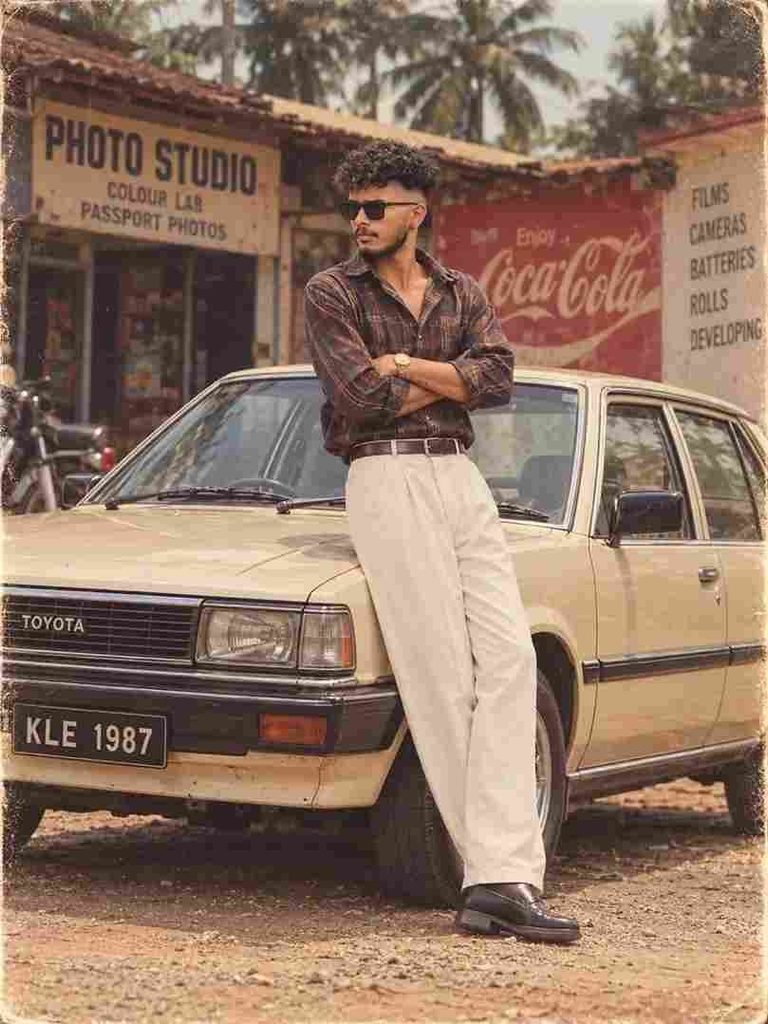
Upload the reference and the personal photo separately when the editor supports multiple images. Describe which file controls composition and which file controls identity, then check the output carefully for accidental face replacement or altered proportions.
How to Improve a Vintage AI Photo Result
Even a well-written 1980s vintage photo prompt may need one or two refinements. AI image tools often interpret words differently, so small adjustments can make the output more coherent.
| Problem | Useful adjustment |
|---|---|
| The face looks different | Repeat the identity-preservation instruction and use a clearer source image. |
| The image looks too modern | Add period-specific clothing, older vehicles, analog lighting, and background details. |
| Grain is overpowering | Request subtle texture and natural skin detail instead of heavy noise. |
| The background feels artificial | Choose one location and describe its light, architecture, and depth. |
| Colors look muddy | Ask for warm faded tones with balanced contrast rather than a strong brown filter. |
Review the hands, jewelry, glasses, buttons, and printed patterns as well. Small objects can reveal generation errors even when the face looks convincing. For social publishing, preview the image on a phone before cropping it for a post or Story.
It is also worth checking the platform’s current creative and safety guidance before sharing edited images. The official Instagram community guidelines are a useful reference for responsible posting.
Best Uses for an 1980s Retro AI Photo
A finished image can support more than a single social post. The nostalgic treatment works well for birthday tributes, family-memory projects, music-themed content, wedding slideshows, profile pictures, and short videos built around an old-film narrative.
- Use a close crop for a profile image.
- Use a vertical composition for Stories and Reels covers.
- Pair a couple portrait with a short caption about shared memories.
- Create a before-and-after carousel showing the original and edited photo.
- Use several related images for a fictional 1980s photo album.
Always be transparent when an image is substantially AI-edited, especially if viewers could mistake it for a documentary or historical photograph. Do not use another person’s likeness without permission, and avoid presenting invented scenes as real evidence.
1980s Vintage Photo Prompt FAQ
How do I write an 1980s vintage photo prompt?
Describe the identity that must stay unchanged, then specify the era, clothing, hairstyle, lighting, location, camera texture, and aspect ratio. Keep the instructions focused so the editor does not mix several unrelated aesthetics.
What photo works best with an 1980s vintage photo prompt?
A sharp image with a visible face, natural expression, and even lighting usually performs best. Avoid strong filters, motion blur, extreme shadows, and images where the face is partly covered.
How can I make an AI retro photo look realistic?
Request subtle analog grain, natural skin texture, soft highlights, and period-accurate surroundings. Realism improves when the clothing, background, lighting, and color treatment all belong to the same decade.
Can I use a reference image for a vintage AI photo edit?
Yes, if the tool accepts reference images, use one for pose, composition, and atmosphere while using your own photo for identity. Do not ask the system to copy another person’s face or personal likeness.
Final Tips for an 1980s Vintage Photo Prompt
The best retro edits balance nostalgia with recognition. Start with a clean source image, define the period details clearly, and protect the subject’s identity throughout the request. Then refine lighting, grain, background, and framing rather than adding more effects at once.
A thoughtful 1980s vintage photo prompt can turn a simple selfie into a warm visual memory with authentic Indian fashion, cinematic atmosphere, and analog character. Choose your favorite direction, upload a suitable photo, and create a retro portrait worth sharing today.
Leave a Reply