Scorpio Photo Editing Prompt: Viral Instagram Guide
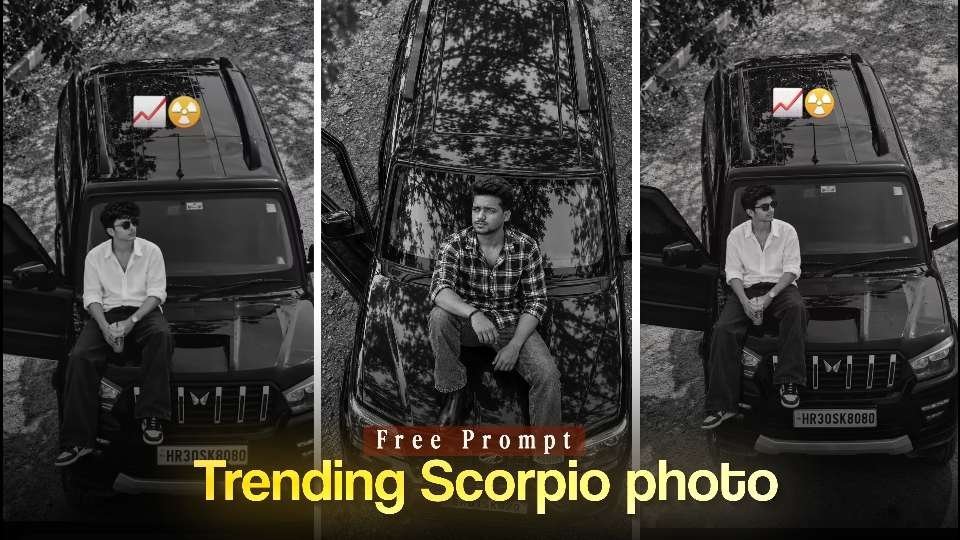
A Scorpio photo editing prompt can turn a simple portrait into a bold cinematic image made for Instagram. The concept combines a glossy black SUV, a confident pose, dramatic shadows, and editorial styling without requiring a full studio or expensive camera setup. With the right source photo and a clear creative direction, an AI image editor can produce a striking profile picture, reel cover, or social post.
This look is especially popular because it feels both aspirational and personal. The vehicle adds visual scale, while monochrome grading gives the final portrait a polished fashion-editorial character. The goal is not simply to place someone beside a car; it is to create a believable scene with natural posture, consistent lighting, and enough detail to feel photographed rather than assembled.
Why the Scorpio photo editing prompt works for Instagram
Instagram favors images that communicate a strong mood at a glance. A dark SUV, overhead perspective, and high-contrast treatment create an immediate visual hook, even when the image is viewed as a small thumbnail. The restrained color palette also helps the subject, vehicle shape, and pose stand out in a busy feed.
Read Also: Instagram Layer Photo Editing: Easy AI Prompt Guide | Neon Portrait AI Prompt: Easy Viral Photo Editing Guide
The idea works across several social formats. A vertical crop can fill a story or reel cover, while a tighter square crop can work as a display picture. The same concept can also support a carousel, with a close portrait on the first slide and a wider vehicle composition on the next.
- Strong silhouette: The SUV gives the frame a recognizable structure.
- Premium mood: Reflections, dark tones, and clean clothing create a luxury street-style feel.
- Flexible framing: A vertical composition is suitable for reels, stories, and mobile viewing.
- Personal identity: A well-chosen reference image keeps the portrait connected to the creator.
For background context, the Mahindra Scorpio is widely recognized for its rugged, upright SUV design. That strong shape naturally supports a powerful portrait concept while remaining familiar to many viewers.
How to use a Scorpio photo editing prompt effectively
Start with a clear image where your face is visible and your body is not heavily cropped. Even lighting is helpful, although an AI editor can add a more dramatic atmosphere later. Avoid photographs with motion blur, extreme filters, or objects covering the eyes and hair.
- Choose a high-resolution portrait with a natural expression.
- Upload it to an image tool that supports reference-based editing.
- Explain that the face, hairstyle, and general identity should remain consistent.
- Select a vertical frame, preferably 9:16, for mobile-first publishing.
- Review the first result for hands, feet, vehicle geometry, and facial accuracy.
- Refine only the parts that look artificial instead of changing the entire scene.
Clothing affects the result more than many people expect. A simple white shirt, dark jeans, sneakers, boots, or a checked overshirt can provide enough contrast against the vehicle. Keep the outfit believable for the pose, because overly complex clothing patterns often create distracting artifacts.
It is also useful to describe the camera position and lighting separately. For example, mention a high three-quarter view, soft outdoor shadows, reflective paint, and a controlled monochrome grade. Specific visual instructions usually produce a more consistent composition than a vague request for a stylish car photo.
Scorpio photo editing prompt setup for a realistic result
Realism depends on more than sharpness. The edited subject must share the scene’s light direction, perspective, scale, and shadow behavior. If the sun appears to come from the left, the face, clothing, car roof, and ground should all respond to that same light source.
Ask the tool to preserve natural anatomy and realistic skin texture. This can reduce common problems such as distorted fingers, uneven sunglasses, floating shoes, or a face that no longer resembles the reference image. However, identity preservation is not always perfect, so inspect the eyes, jawline, hairline, and expression before publishing.
| Element | Recommended direction | Why it matters |
|---|---|---|
| Camera angle | Slightly elevated or top-down | Adds drama and shows the SUV clearly |
| Color treatment | High-contrast black and white | Creates a clean editorial mood |
| Background | Gravel, trees, or open outdoor space | Provides believable texture and depth |
| Wardrobe | Simple streetwear with tonal contrast | Keeps attention on the subject |
| Framing | Vertical 9:16 composition | Fits reels, stories, and mobile screens |
Do not overuse blur to hide imperfections. A slightly textured background, visible reflections, and soft ground shadows often look more convincing than an aggressively blurred backdrop. The best AI portrait edits leave enough environmental detail for the viewer to understand where the subject is sitting.
Overhead monochrome SUV portrait
This first direction emphasizes the full composition: the subject, the hood, the open door, and the outdoor surroundings. It is a strong choice when you want the vehicle and the elevated viewpoint to be equally important in the frame.
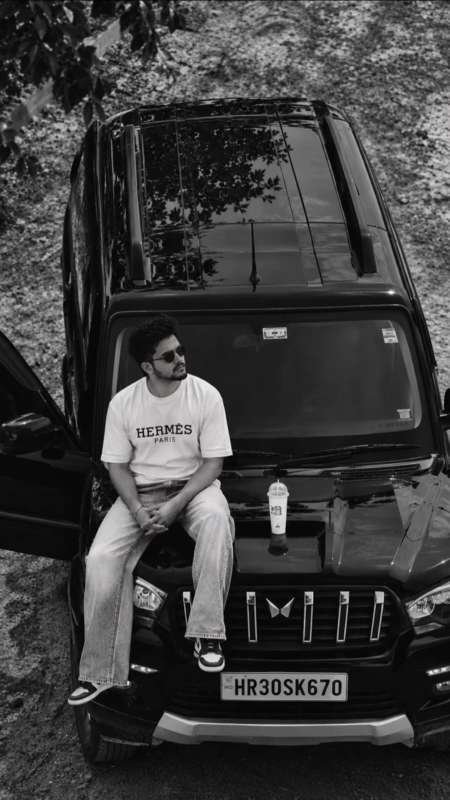
Use a clean reference photograph and check the hands and legs carefully after generation. A small crop adjustment can improve the balance between the face and the vehicle without changing the central mood.
Moody street-fashion car portrait
The second direction leans into fashion styling and a dramatic overhead viewpoint. It suits creators who want a confident, polished image for a reel cover or a profile update while keeping the SUV as the main visual anchor.
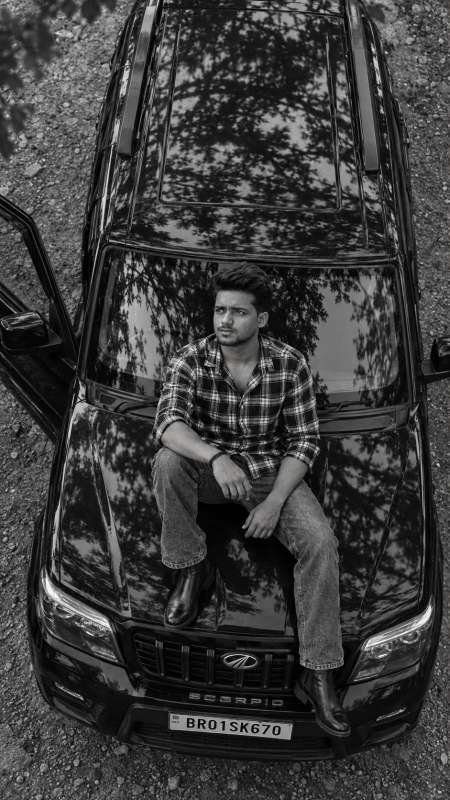
Before exporting, inspect the car doors, number-plate area, footwear, and shirt pattern. If any detail looks inconsistent, make a targeted revision and keep the rest of the generated scene unchanged.
Identity-led cinematic SUV edit
The third direction puts greater emphasis on keeping the uploaded person recognizable while building a premium outdoor setting around them. This approach is useful when the portrait matters more than the exact vehicle details.
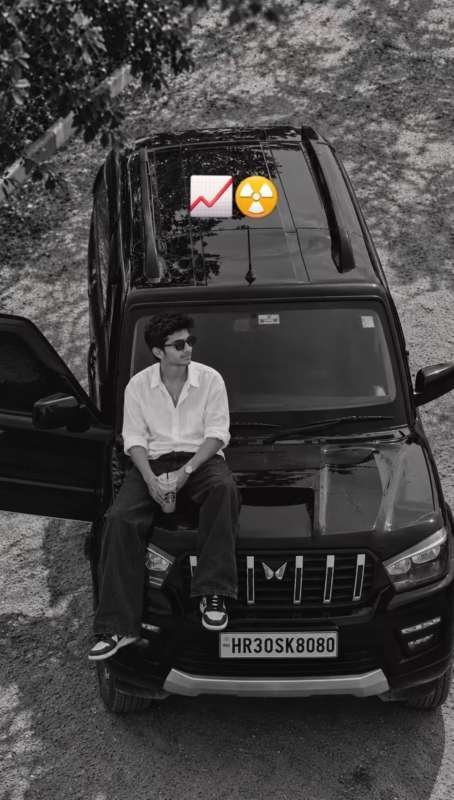
Compare the generated face with the original reference at normal viewing size, not only when zoomed in. If the identity drifts, use a clearer source image and simplify the requested accessories or pose on the next attempt.
Compare the three Scorpio photo editing prompt directions
Each direction supports a slightly different publishing goal. The overhead composition is best for a wide, dramatic image, the street-fashion version highlights clothing and attitude, and the identity-led edit is more suitable for a personal profile image.
- Choose the overhead version when the car roof, open door, and environment should be clearly visible.
- Choose the street-fashion version when your outfit and confident pose are central to the story.
- Choose the identity-led version when facial similarity and a natural personal look are the top priorities.
Keep the final crop consistent with the destination. Instagram’s official platform is available at Instagram.com, where vertical media is designed for mobile browsing. A little headroom is useful for reel-cover text, while a tighter crop may work better for a profile image.
Improve your AI Scorpio photo edit before posting
Take a short quality-control pass before sharing the result. Zoom in on the face, fingers, shoes, sunglasses, car edges, and any reflective surface. AI tools can create attractive images while still leaving small errors that become obvious when viewers look closely.
- Check that the face is not overly smooth or plastic-looking.
- Make sure both hands have a natural shape and believable position.
- Confirm that the body sits on the hood rather than appearing to float above it.
- Look for repeated trees, broken reflections, or warped door frames.
- Keep the monochrome effect detailed enough to preserve clothing texture.
- Export at a high resolution and avoid adding several heavy filters afterward.
Captions can support the visual without explaining every technical detail. A short line about confidence, motion, or a new perspective is usually more effective than a long description. If the image is AI-assisted, follow the disclosure and labeling expectations relevant to your audience and platform.
Scorpio photo editing prompt FAQ
What is the best photo for a Scorpio photo editing prompt?
Use a sharp, well-lit image with your face, hairstyle, and upper body visible. A relaxed standing or seated pose gives the editor more useful information than a heavily cropped selfie. Clear source details generally improve identity consistency and reduce unnatural features.
Can a Scorpio photo editing prompt create a realistic Instagram DP?
Yes, but the final image should be cropped around the face and shoulders for a small display picture. Ask for natural skin texture, balanced lighting, and a simple background area near the head. Review the circular crop before uploading so important facial details do not disappear.
Final thoughts on the Scorpio photo editing prompt
The Scorpio photo editing prompt is effective because it combines a recognizable SUV setting with a focused cinematic treatment. Strong composition, controlled shadows, realistic identity, and a suitable vertical crop can turn an ordinary reference image into a memorable social portrait.
Start with the clearest photo you have, choose the direction that matches your goal, and inspect every detail before posting. Try the workflow with your own style and create an Instagram image that feels confident, polished, and genuinely yours.
Leave a Reply