Lyrics CapCut Template: Easy Instagram Reel Guide 2026
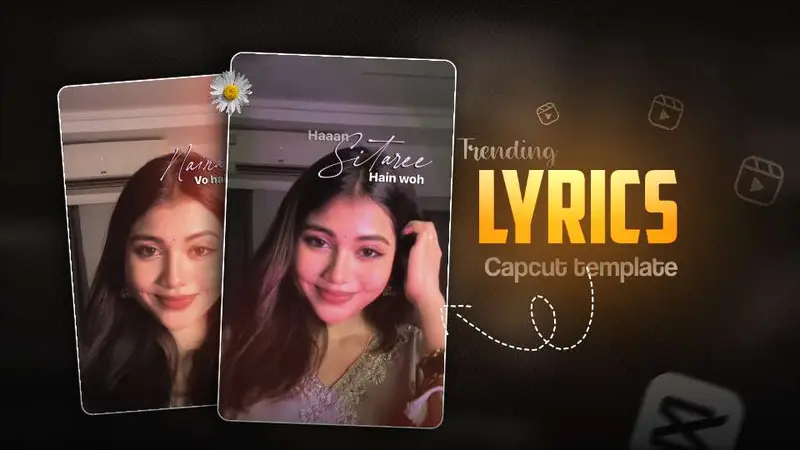
Instagram Reels move quickly, and visual styles that once required advanced editing can now be created in minutes. A lyrics CapCut template helps turn a simple portrait, travel clip, or couple video into a polished short-form edit with animated words, timed transitions, and music-led movement. The result feels personal and cinematic without requiring complicated software.
This guide explains how to choose suitable footage, apply a template, improve the final look, and publish your Reel for stronger viewer retention. You will also learn when to use lyric effects, which clips work best, and how to avoid common mistakes that make an edit feel crowded or generic.
Why the Lyrics CapCut Template Is Popular
Music and text create two layers of attention at the same time. The audio sets the mood, while the words give viewers a reason to keep watching and follow the story. When the text appears in rhythm with the song, even a short clip can feel more intentional.
Read Also: Fog Lights Photo Editing Prompt: Easy AI Portrait Guide | Viral ChatGPT Photo Editing Prompt: Easy Instagram Guide
The format also suits the way people watch mobile content. Most viewers decide within the opening seconds whether to continue, so clear visual movement and a recognizable lyric line can make the first moment more compelling. A well-timed lyric edit is especially effective for emotional songs, romantic posts, celebrations, and reflective lifestyle content.
Another advantage is accessibility. Instead of manually creating text layers, keyframes, and transitions, creators can begin with a prepared design and adjust it to match their footage. CapCut’s official website offers tools for mobile video editing and template-based workflows, making it a practical starting point for beginners.
What makes lyric edits visually effective?
- Beat-aware timing: Text changes feel natural when they follow the song’s rhythm.
- Readable typography: Strong contrast helps viewers understand the words on a small screen.
- Controlled motion: Gentle zooms and fades add energy without distracting from the subject.
- Consistent mood: Color, lighting, and font style should support the emotion of the audio.
How to Use the Lyrics CapCut Template Step by Step
Start by selecting a song and video that express the same feeling. A slow romantic track usually works better with soft portraits and gradual camera movement, while an energetic audio clip suits quick cuts, fashion shots, or group moments.
- Collect your clips. Choose clear vertical videos with stable framing. Record in good light and avoid footage that is heavily compressed.
- Open the template. Search within CapCut for a lyric-focused design that matches your audio, pace, and preferred visual mood.
- Replace the sample media. Add your own clips in the order requested by the template. If the design uses several short shots, select footage with different angles to create variety.
- Review the music sync. Watch the complete preview and check whether the words appear at the correct moment. Some templates may need small timing adjustments after media replacement.
- Refine the appearance. Adjust brightness, contrast, crop, and text placement so the subject remains visible and the lyrics stay easy to read.
- Export for Reels. Use a vertical 9:16 format and the highest practical quality. Watch the exported file before uploading it.
Although automation saves time, the best results still need personal editing. Replace generic colors, remove clips that do not support the story, and select a lyric section that has meaning for your audience. Those small decisions make a template feel like your own work rather than a repeated trend.
Best Footage for a Lyrics CapCut Template
The strongest source videos have a clear subject and enough movement to support transitions. You do not need expensive equipment. A clean phone camera, soft daylight, and a simple background are often enough to create an attractive base.
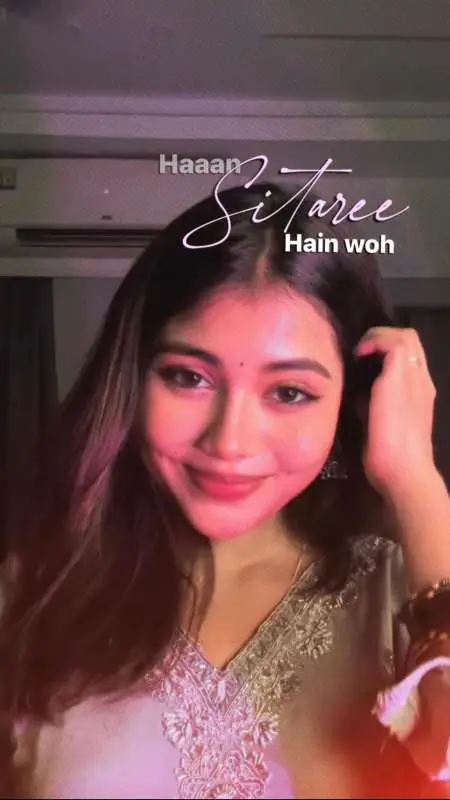
- Portraits and selfie clips: Use slow turns, changes in expression, or a gentle camera push.
- Mirror videos: Keep the phone and subject centered, then let the animated words occupy empty space.
- Travel moments: Combine scenery, walking footage, food, and small details for a visual story.
- Traditional or festive outfits: Warm colors and decorative backgrounds pair well with emotional music.
- Friendship and couple videos: Choose clips that show genuine interaction instead of unrelated poses.
- Birthday and memory edits: Use photographs or short recordings in chronological order to build a simple narrative.
Try to record several versions of each shot. A two-second alternative can make a major difference if the original cut does not align with a beat or lyric. Leave some space around faces and important objects so animated text does not cover them.
Match the visual style to the song
| Song mood | Suitable footage | Editing direction |
|---|---|---|
| Romantic | Close portraits, sunset scenes, couple moments | Soft fades, warm tones, slower movement |
| Melancholic | Rain, quiet walks, reflective expressions | Muted colors, minimal transitions, spacious text |
| Energetic | Dance, fashion, group activities | Fast cuts, brighter contrast, beat-led changes |
| Nostalgic | Old photos, travel memories, everyday moments | Film texture, gentle zooms, simple lyric placement |
Editing Tips for a Better Lyrics CapCut Template
Text should support the video, not compete with it. Keep each lyric line on screen long enough to read, and avoid placing important words over faces, logos, or busy backgrounds. If the template uses several fonts, simplify the design so the final Reel has a consistent identity.
Color correction is equally important. Match the brightness of every clip before adding effects. A sequence that jumps from a dark blue scene to an overexposed yellow frame can feel unfinished, even when the transitions are attractive.
- Use one main font and one accent style at most.
- Keep lyric text inside the safe central area of the vertical frame.
- Trim silent openings so the Reel begins with visual or musical movement.
- Use slow motion only when it improves the mood or highlights a meaningful moment.
- Check spelling and punctuation before exporting.
- Preview the edit with sound and without sound to test its visual clarity.
Remember that the template is a framework, not a finished strategy. A personal caption, original footage, and a well-chosen lyric excerpt can make a familiar design more memorable. For guidance on how Instagram considers content ranking signals, review the platform’s official explanation of Instagram ranking.
Lyrics CapCut Template Versus Manual Lyric Editing
Both approaches have a place in a creator’s workflow. Templates are faster and useful when you want to publish consistently. Manual editing takes longer, but it gives you complete control over typography, pacing, animation, and the relationship between each shot and the song.
| Factor | Template workflow | Manual workflow |
|---|---|---|
| Speed | Very fast after choosing a design | Slower because every layer is built separately |
| Creative control | Moderate and based on the template structure | High, with custom timing and animation |
| Learning curve | Beginner-friendly | Requires practice with editing tools |
| Best use | Frequent Reels and trend-based posts | Brand campaigns and highly personal stories |
If your goal is to test an audio trend quickly, a template is usually the practical choice. If you are building a recognizable visual identity for a business or creator brand, gradually learning manual text animation can help your work stand apart.
How to Publish a Lyrics CapCut Template Reel
Exporting the video is only one part of the process. Upload it in a clear vertical format, select a cover that shows the subject immediately, and write a caption that adds context rather than repeating the words on screen. A short question can encourage comments when it fits the theme.
Use relevant hashtags sparingly. A mixture of broad terms, audio-related phrases, and specific content labels is more useful than adding a long block of unrelated tags. Also, choose the platform’s matching audio when available and confirm that your use of music follows the applicable rights and platform rules.
Posting time can influence the first wave of activity, but consistency and viewer response matter more over time. Track completion rate, replays, saves, shares, and comments instead of judging performance only by likes. If viewers leave early, improve the opening shot or shorten the introduction in your next edit.
Common Lyrics CapCut Template Mistakes
Many lyric Reels underperform because the visual design is overloaded. Excessive stickers, multiple transitions, tiny text, and unrelated clips can hide the emotional point of the video. Simplicity often creates a stronger result.
- Using low-resolution footage: A stylish effect cannot fully repair a blurry or poorly lit source clip.
- Ignoring the first second: Begin with an appealing image or a lyric moment that creates curiosity.
- Covering the subject: Move the text away from faces, hands, products, or scenery that carries meaning.
- Choosing an unrelated song: The audio and visuals should communicate a similar mood.
- Copying every trend detail: Add a personal color choice, caption, or story so the post feels original.
Frequently Asked Questions About Lyrics CapCut Template
What is a lyrics CapCut template used for?
It is a prepared video design that adds timed song words, transitions, effects, and visual pacing to your clips. It is commonly used for Instagram Reels, emotional edits, portraits, travel videos, and celebration posts.
How do I make a lyric video for Instagram Reels?
Choose vertical clips, select a suitable template, replace the sample media, review the timing, and export in a high-quality 9:16 format. Before publishing, check text readability, audio alignment, and the opening seconds.
Can beginners use a lyrics CapCut template?
Yes. Templates reduce the need for manual keyframes and complex animation, so beginners can create a polished result quickly. However, reviewing the crop, color, and text position is still important.
What type of music works best for lyric Reels?
Music with a clear vocal line and noticeable rhythm is usually easiest to pair with animated text. Romantic, nostalgic, inspirational, and currently popular songs can work well when their mood matches the footage.
Conclusion: Make the Trend Feel Personal
A lyrics CapCut template can give ordinary footage a strong visual rhythm, but the most effective Reel still depends on thoughtful choices. Use clear clips, match the music to the mood, keep the words readable, and edit the opening for immediate interest.
Start with one meaningful video and a short lyric section rather than trying to include everything at once. Add your own story, publish consistently, and study the response from viewers. Open CapCut, test a design that fits your footage, and create your next Reel today.
Leave a Reply